What Is an ALPR Camera Search?
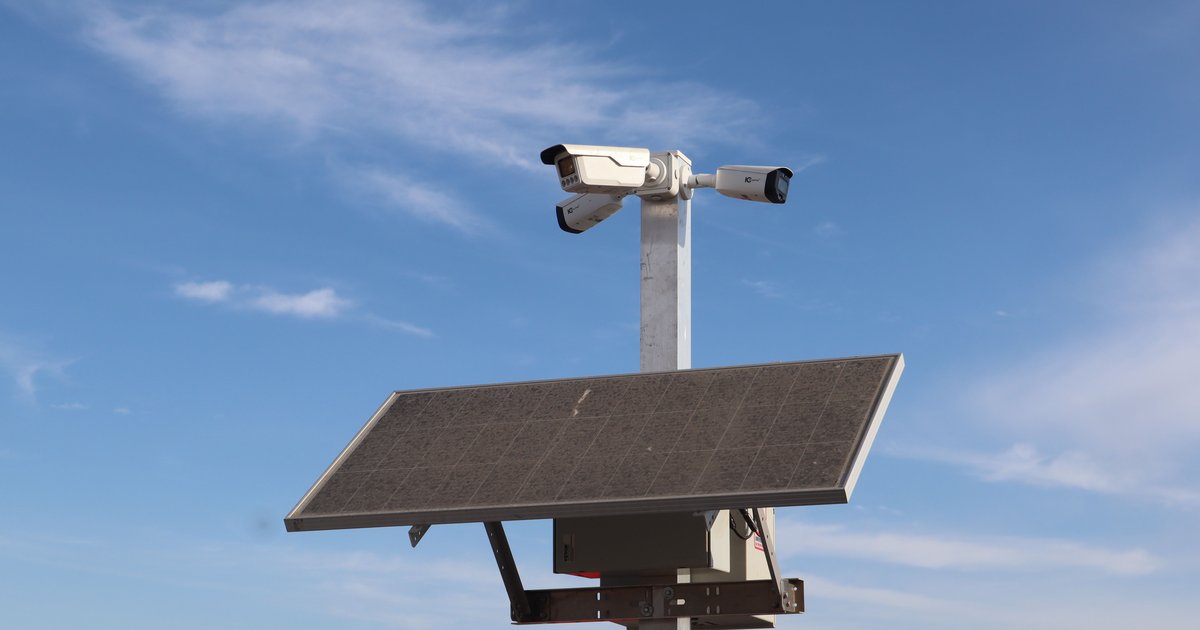
An ALPR camera search is a lookup against records generated by automated license plate reader networks. These cameras — most notably those operated by Flock Safety, Motorola Vigilant, and Rekor — photograph passing vehicles, read the plate characters with optical character recognition, and log the plate, timestamp, and camera location to a searchable database. Thousands of U.S. police departments, homeowner associations, and private businesses now operate these systems, often without posted signage.
Historically, only law enforcement could query that data. But because public agencies generate the records, many ALPR logs are now obtainable through state public-records laws — meaning ordinary people can finally see what the cameras captured. A modern ALPR camera lookup compiles those released records into a plate-by-plate history that anyone can view.
Why People Run an ALPR Camera Lookup
Search intent for this topic falls into a few clear buckets. Vehicle owners want to know how often their own car is being scanned and by which agencies. Journalists and researchers use ALPR data to document surveillance footprints in specific cities. Privacy-conscious drivers want to confirm whether a trip across town ended up in a police database.
There are also practical reasons: someone selling a used car might want to confirm no unusual activity is tied to the plate, and parents of new drivers sometimes check scan patterns to understand where a vehicle has been. The common thread is transparency — turning a system that watches drivers into one drivers can watch back.
What Data an ALPR Search Actually Returns
A typical ALPR camera search result includes:
- The plate number that was read (sometimes with OCR confidence scores).
- The timestamp of each scan, usually to the second.
- The agency or network that owns the camera — for example, a specific police department's Flock deployment.
- General location data, which varies: some releases include camera IDs or intersections, others redact precise coordinates.
What you generally will not see in a public-records release is the camera's full photo of the vehicle, driver images, or hot-list hit information. Those are typically withheld under investigative or privacy exemptions.
The Legal Basis for Public ALPR Lookups
Public access to ALPR records depends on state law, and the rules vary dramatically. A few concrete examples:
- California: Civil Code § 1798.90.5 defines ALPR data and requires operators to adopt a usage and privacy policy. The California Public Records Act (Gov. Code § 7920 et seq., formerly § 6250) has been used by groups like the EFF and ACLU to obtain scan logs from agencies such as the Marin County Sheriff.
- Illinois: The Freedom of Information Act (5 ILCS 140) has been used to pull Flock camera deployment lists and scan data from suburban Chicago police departments, with standard response times of 5 business days (extendable by 5).
- Virginia: After a 2020 Supreme Court of Virginia ruling (Neal v. Fairfax County Police), passive ALPR collection by police was limited, and FOIA requests under Va. Code § 2.2-3704 have produced detailed Flock audit logs.
- Washington: Under RCW 42.56, requesters have obtained Flock scan records from cities like Auburn and Kent, typically for a per-page copying fee capped at $0.15.
A handful of states (notably New Hampshire under RSA 236:130) sharply restrict or ban law-enforcement ALPR use outright, so there's little data to request in the first place.
How to Run an ALPR Camera Search Yourself
You have two realistic options.
Option 1: File Your Own Public-Records Request
Identify which police departments or municipal agencies near you operate Flock or similar cameras — many publish transparency portals. Send a FOIA/public-records request asking for all ALPR scan records for a specific plate over a defined date range (say, 90 days). Expect to wait anywhere from a week to a few months, and expect redactions. This method is thorough but slow, and you have to repeat it for every agency.
Option 2: Use an Aggregated ALPR Camera Lookup
PlateQuery maintains a free, public ALPR lookup history on every plate's page, built from FOIA releases that have already been made public. You simply search a plate and see the compiled scan history — the dates, times, and agency networks that recorded that plate — without filing a request yourself. It's the fastest way to get an at-a-glance picture of a plate's exposure to the ALPR ecosystem.
Privacy Considerations and Claiming Your Plate
Because the underlying scan data is already public record, aggregating it doesn't create new privacy exposure — but it does make existing exposure easier to see, which cuts both ways. If you'd rather your own vehicle's scan history not appear on a public page, PlateQuery lets you claim your plate.
Claiming works from your plate's own page: search your plate, open its profile, and click Claim Ownership. That starts a Stripe Checkout subscription (about $1.99/month or $11.99/year) tied to that specific plate. Once active, both the ALPR history and any messages left for the plate become visible only to you. The public page still exists so people can still contact you about parking or safety issues, but the sensitive sections are hidden.
FAQ
Is an ALPR camera search legal?
Yes. The data comes from public-records releases that state transparency laws explicitly permit. You're viewing information the government has already disclosed.
Does an ALPR lookup show the driver?
No. ALPR systems log the plate, not the person behind the wheel, and face or interior images are rarely included in public releases.
How often is a typical car scanned?
It varies wildly by region. A commuter in a Flock-heavy suburb might register dozens of scans per month; a rural driver may see almost none. Checking your own plate is the only way to know.
Can I remove my plate from ALPR databases entirely?
Not through a lookup site — the underlying police records remain. But claiming your plate on PlateQuery hides your scan history from the public-facing page.
Does PlateQuery charge for the search itself?
No. ALPR camera lookups are free and don't require an account. The optional subscription only applies if you want to claim and privatize your own plate.
Practical Takeaway
If you're curious about your own ALPR footprint — or want to research a plate you've been wondering about — start with a free ALPR camera search on PlateQuery. Enter the plate, review the scan history and agency networks that recorded it, and decide from there whether you want to file your own FOIA requests for deeper detail or claim your plate to hide the public-facing data. It's the simplest way to turn a one-way surveillance system into something you can actually see.